 numara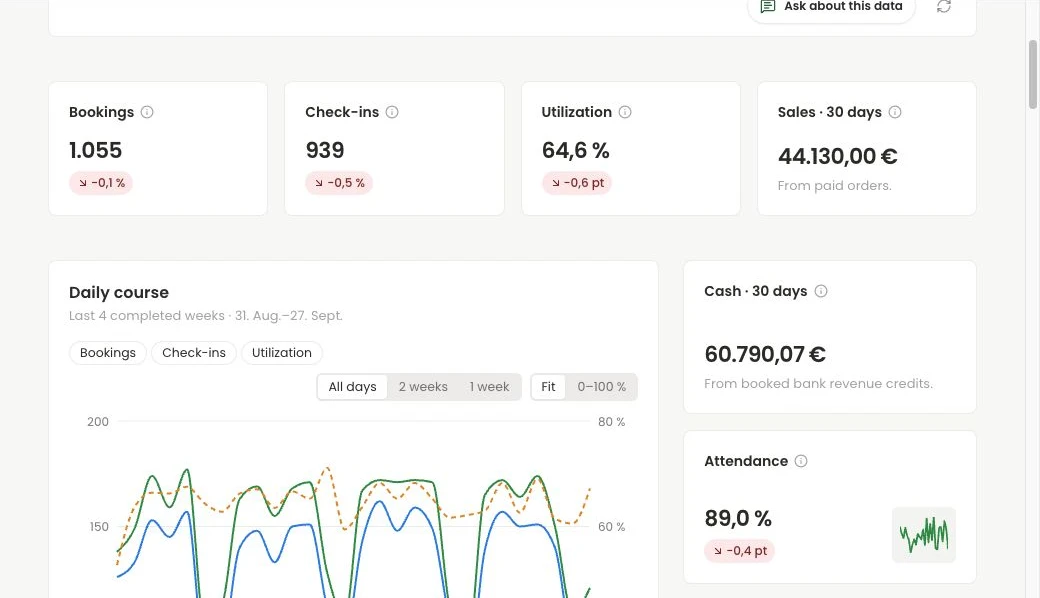
Week, month, trend
Bookings, visits, active members and revenue on one page — compared with the previous period.
Studio dashboard
numara’s start page brings members, classes, visits and finances together — and tells you in plain sentences what changed and what matters now.
The studio dashboard is numara’s home screen. It shows the week and month, trends and a forecast on one page, measures every number against your own targets and turns them into concrete next steps.
Studio dashboard
Bookings, visits, active members and revenue on one page — compared with the previous period.
You decide what good looks like for your studio. numara measures every metric against it, not against averages.
Weekly hints in plain language, each with a concrete next step for your team.
Which formats, weekdays and time slots carry their weight — and which cost more than they bring in?
Where capacity and revenue are heading, and what a change to the schedule would do.
If a number looks off, numara tells you before you base a decision on it.
FAQ
Active members, bookings, check-ins, capacity per class and time slot, revenue and cashflow — for the week and month, with trend and comparison against your targets.
numara analyses your studio’s numbers weekly and phrases hints from them. Only aggregated values are used, never names or contact details of your members.
Bring your questions. We’ll show you the workflows that matter to your studio and work out what getting started would involve.