numara started with a practical need: Simon at the dopamine studio Berlin wanted to understand his studio’s performance without working through spreadsheets. We built a dedicated migration process for the move from Eversports. It has already transferred members, the product catalogue and historical studio reports. Final credits and future bookings are checked separately at cut-over.
The story behind numara →Switch from Eversports to numara
Leave Eversports. Take your studio further.
You’re ready to move. Your members still need to train. A clear plan for data, credits and bookings keeps everyone on the same page. Start here.
Built from a real studio’s move.
Which Eversports data can move?
We agree the scope after reviewing your exports. This overview separates the initial transfer from information that keeps changing until the last booking day.
| Data | How we plan the transfer |
|---|---|
| Members & consent | Direct customers with their own purchases, memberships or bookings are transferred with their current marketing consent. Aggregator-only visits do not become studio member profiles. |
| Packs & memberships | The product catalogue is created as drafts first. Prices, validity and location assignments are checked before products go on sale. |
| Running memberships | Existing memberships can be recorded as imported entitlements. Billing, cancellation and pauses stay in the previous system until the agreed transition. |
| Past classes & revenue | Class, booking, cancellation and payment reports provide the basis for historical data migration, separated by location. |
| Remaining credits & future bookings | At cut-over, remaining visits, future classes and reserved places are reconciled separately. An early export is not enough for these changing balances. |
| Vouchers & discount codes | We review these separately and recreate them where needed. |
| Payment details & invoice PDFs | Stored payment methods and direct-debit mandates are not copied across. Members set up payment again; existing invoices remain in the previous system or your secure archive. |
Five steps to your next system.
-
Gather the full set of exports
Prepare customer and membership lists, purchased products with remaining visits, and class, booking and revenue reports. Separate locations and record the date range for each file.
-
Check the transfer before members book
We reconcile people, products and history. Unclear profiles and duplicates are reviewed. CRM automations are deliberately controlled during import so members are not accidentally enrolled in a new welcome sequence.
-
Agree the treatment of contracts and credits
Decide which payments finish in Eversports and when new billing starts in numara. Check remaining visits and expiry dates. An imported entitlement is not a newly signed membership contract.
-
Prepare booking and Urban Sports Club
Test class selection, booking, waitlists and check-in with your team. numara is an Urban Sports Club Software Partner. Your connection is set up for the move and checked against your classes.
-
Reconcile and switch at cut-over
Export the final changes, reconcile future bookings and remaining credits, then update your booking links. Give members the new booking route and clear instructions for payment.
Your next working day
One schedule. Your bookings. Your team.
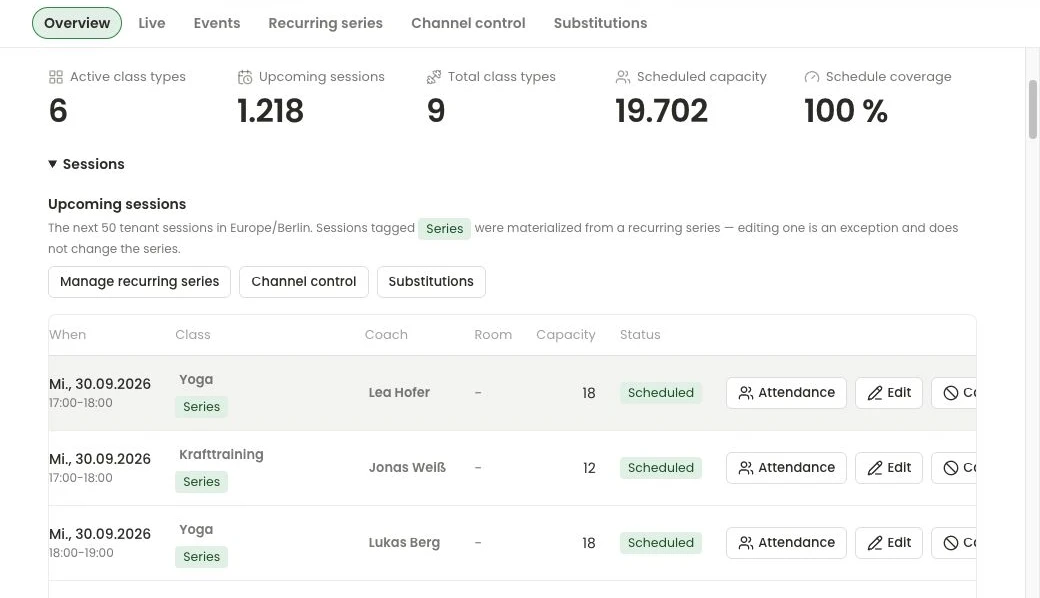
Explore how you run classes, waitlists and check-ins in numara.
Explore scheduling and bookings → numara /
ScheduleDemo studio
numara /
ScheduleDemo studio
Before cut-over
Put these in your migration plan.
Use this list for your team meeting. We’ll work through the details with you.
- Confirm the end date and notice period with your previous provider
- Include every location and export date range
- Reconcile members, remaining credits and future places
- Agree the final old payment and first new payment
- Check USC and the booking journey with your team
- Prepare new links for your website, social profiles and member emails
Your Eversports migration questions.
How long does switching from Eversports to numara take?
The timeline depends on your exports, locations, running memberships and future bookings. After the first data review, we agree the scope and cut-over date. Remaining credits are reconciled again shortly before the switch.
Can I keep Urban Sports Club after switching?
Yes. numara is an Urban Sports Club Software Partner and connects classes, partner bookings and check-ins. Your studio’s connection is included in the migration plan and checked before cut-over.
Are Eversports payment details transferred automatically?
No. Stored payment methods, direct-debit mandates and invoice PDFs are not copied by the migration process. We plan the new payment setup and the transition for running memberships with you.
How much does the Eversports alternative numara cost?
Numara Core starts from €99 per month and location, plus VAT. Modules, setup and migration scope are agreed in your offer. Online sales also incur payment and platform fees.
Make your move concrete.
Bring your schedule and your questions. We’ll show you numara and plan the migration for your studio.
Eversports vs numara: compare pricing and features →